Gemini (formerly Google Bard) is Google’s flagship AI system, now tightly integrated across Docs, Sheets, Gmail, and Search. That makes it uniquely attractive for nonprofits already living inside Google Workspace.
In this guide, you’ll find the essentials – Gemini’s pricing, nonprofit discounts, the latest models, and use cases tailored to nonprofits.

Table of Contents
What Gemini Is and Why It Matters for Nonprofits
Gemini is Google’s family of AI models, powering everything from Gmail autocomplete to advanced Workspace add-ons.
What makes Gemini unique for nonprofits:
- Native integration with Docs, Sheets, Gmail, and Drive
- Strong multilingual performance
- Ability to analyze structured data directly inside Sheets
- Built-in access for orgs already on Google Workspace for Nonprofits
For teams already running everything through Gmail and Drive, Gemini can slide into daily workflows more smoothly than ChatGPT or Claude.
Gemini’s Latest Models (2025 Update)
As of mid-2025, Gemini is available in two main versions: Gemini 2.5 Pro and Gemini 2.5 Flash.
- Gemini 2.5 Pro is the most advanced model. It’s built for deeper reasoning, structured problem solving, and handling very large context windows. For nonprofits, this makes it useful for long reports, grant applications, and multi-step planning documents.
- Gemini 2.5 Flash is the faster, lighter option. It’s designed for everyday drafting, campaign content, and quick outputs across Docs, Sheets, and Gmail. It’s also multimodal – able to work with text, images, and even audio – which makes it versatile for creative teams.
Older models like Gemini 1.5 Pro and 1.5 Flash are still accessible in some contexts, but Google is pushing most Workspace users toward the 2.5 series. A more advanced Gemini 2.0 Flash (experimental) also underpins certain real-time and tool-driven workflows inside Search and other Google apps.
Gemini Pricing
Free Tier
Basic access to Gemini integrated in Google Search and Workspace apps.
Great for light drafting and summaries.
Gemini Advanced (Workspace Add-On)
- $20/month per user (or included in some Workspace tiers)
- Access to Gemini 1.5 Pro inside Gmail, Docs, and Sheets
- Priority performance and longer context windows
Enterprise AI Plans
- Custom pricing, often bundled with Google Workspace Enterprise
- Includes admin controls, audit logs, and higher token limits
- Ideal for larger nonprofits with complex data needs
How to Apply for Gemini Nonprofit Discount
If your nonprofit plans to use Gemini, here’s how to access it through Google’s nonprofit offerings:
- Sign up for Google for Nonprofits. You’ll go through a verification process that confirms your organization’s eligibility. Once approved, you’ll gain access to Workspace for Nonprofits, as well as other free Google tools.
- Activate Workspace for Nonprofits under your admin console once the account is verified. This gives you access to Gmail, Drive, Meets, and most importantly: Gemini, NotebookLM, and other premium AI features.
Gemini Use Cases for Nonprofits
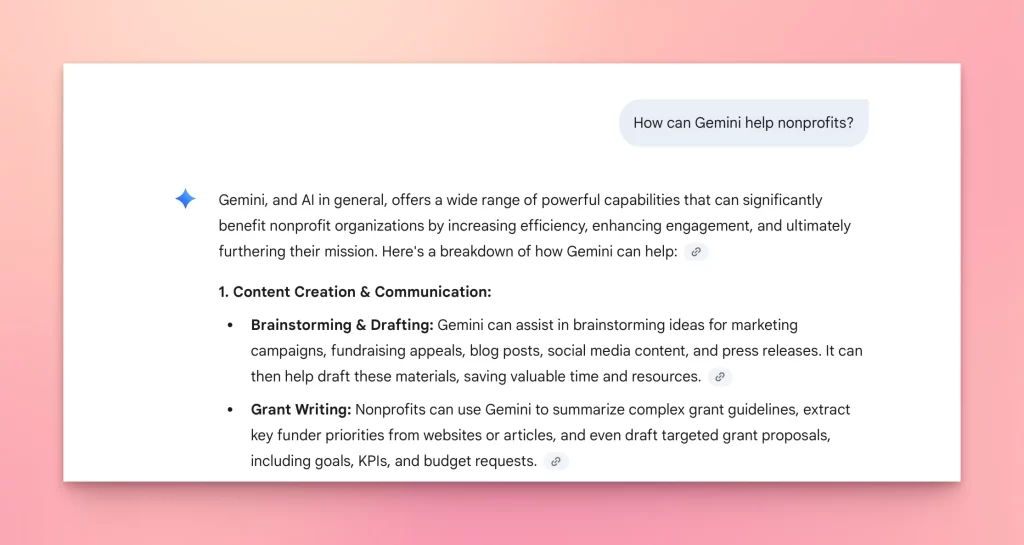
1. Grant Budget in Sheets
“Review this grant budget in Google Sheets. Highlight any inconsistencies, suggest clearer category labels, and generate a summary paragraph I can paste into the grant narrative.”
2. Multilingual Donor Email
“Translate this thank-you email into French, Spanish, and Arabic. Keep the tone warm, personal, and donor-centered. Adjust cultural references if needed.”
3. Impact Report Drafting
“You are a nonprofit impact writer. Using the data in this table (program reach, outcomes, budget), draft a 2-page impact summary for donors. Make it professional but easy to understand.”
4. Volunteer Scheduling
“Using this CSV file of volunteer sign-ups, create a weekly schedule in Sheets that balances shifts, avoids double-booking, and fills priority slots first.”
Prompting Tips for Gemini
- Anchor prompts to Workspace context: tell Gemini if it’s working on a Doc, Sheet, or Gmail draft.
- Provide structure + format: e.g., “Create a 3-paragraph donor update with a headline, body, and CTA.”
- Use multilingual checks: ask Gemini to recheck tone in translations for clarity and warmth.
- Pair with data: Gemini is strongest when analyzing structured inputs, so feed it Sheets or CSVs when possible.
Pros, Cons, and Rollout Suggestions
Pros
- Native Google Workspace integration
- Strong multilingual capabilities
- Smooth data analysis in Sheets
- Available through Google for Nonprofits
Cons
- Less creative or emotional than Claude
- Discount only applies if verified in Google for Nonprofits
Rollout Suggestion:
If your team already uses Gmail and Docs daily, start with Gemini Advanced for a few seats. Test it on grants, donor emails, and reports. For campaign content or team approvals, layer in Kweet.
Gemini for Nonprofits FAQ
Q: Is Gemini included in Google Workspace for Nonprofits?
The base version is included, but Gemini Advanced is an add-on at discounted rates.
Q: Is Gemini safe for donor or beneficiary data?
Gemini follows Google’s enterprise-level security standards, but you should avoid entering sensitive PII (like donor addresses, payment info, or medical records) directly. Use anonymized data where possible.
Q: Does Gemini integrate with nonprofit CRMs like Salesforce or Bloomerang?
Not directly. You’ll need a connector like Zapier, custom scripts, or a dedicated workflow tool to bridge Gemini with your CRM.
Q: Can my whole team use Gemini once we activate Workspace for Nonprofits?
Yes. Eligible nonprofits can get access for up to 2,000 users at no cost ****on the base plan. Paid plans also scale affordably, making Gemini one of the most accessible AI options for larger teams.
Final Checklist: Should You Use Gemini?
- You already use Google Workspace every day
- You want fast analysis of spreadsheets and data
- You’re verified with Google for Nonprofits
- You’re comfortable layering it with other tools for campaign work
If that sounds like your team, Gemini is a solid choice.